
The programme
The Multiply Academy programme
The Multiply Academy programme is AI training for people who work at a computer. They practise on tasks from their own jobs, and use what they know to tell AI what it needs, say what they want and check what comes back. The programme has seven parts, called modules, and along the way people save instructions their AI can follow again. By the end they can do more for customers, and more of the work the business hasn’t got to yet.
Who it is for
It is for people in any role whose days are spent on documents, email, analysis, decisions and plans. Nobody needs a technical background, or to be keen on AI before they start. The modules are written to help people through changing how they work.
Our customers include a firm of about a dozen people and accesso, a listed company. A larger organisation can start with a pilot group that includes senior people. At accesso, Lee Cowie was among the first to go through it. He was COO then and is now its CEO. By June, he says, the company had rolled it out to more than a hundred people.
Who it isn’t for. If you want AI to be someone else’s job, with a central team doing it for your people, the programme won’t stick.
The seven modules
Every module is written for the person taking it, from what they have told us about their job.
Charlie Teed, Partner at HLX, says of the programme, “This isn’t a prompt creating class. This is teaching you how to go pull all of your historic knowledge and put it to work for you every single day.” Read Charlie Teed’s story
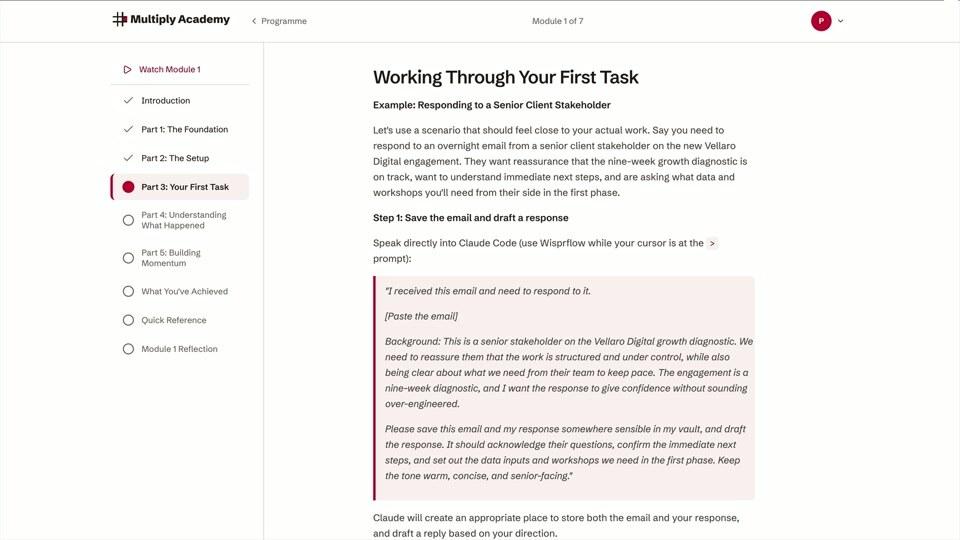
What a module looks like
- 1
Getting Started 3 to 5 hours
You set up the tools and gather what AI needs to know about your work. That means the people you deal with, your current projects, recent emails and examples of how you like things done. Your AI organises it into a folder of notes that you and your AI both read and add to. We call it your shared brain, and inside the programme the folder is called a vault. Then you do one real task with it, such as an email, a brief or a plan.
By the end you have your first piece of real work, produced by an AI that knows your job.
- 2
Context Management 2 to 3 hours
Results get worse when you ask AI to hold too much in one conversation. You learn when to start fresh, when to carry on and how to handle long documents.
After this module the results are more reliable.
- 3
Vault Architecture 4 to 5 hours
You fill out your notes with what a good colleague would need to know: your clients, products, processes and priorities. You learn four rules for keeping them organised and the basics of keeping them secure.
From here on, your AI starts each job from what you have written down about your work.
- 4
Core Workflows 3 to 4 hours
You set up voice notes from your phone, an email routine and automatic processing of meeting recordings. You save your first sets of instructions for the things you do again and again.
Meetings now end with the notes, actions and follow-ups already drafted.
- 5
Working Smarter 3 to 4 hours
You learn how much freedom to give AI for different jobs and how to run several pieces of work at once. You write your specialist knowledge down once, and your AI uses it from then on.
Your most important work comes out closer to your own standard.
- 6
Working at Scale 3 to 4 hours
You learn to run long projects: several strands of work at once, plans that carry over from one session to the next, and large amounts of research.
You can take on work that used to need a team, such as a review of hundreds of documents or a comparison of twenty competitors.
- 7
Full Mastery 6 to 10 hours
You build a library of the best sources in your field for your AI to use, and set it up to do tasks in your browser.
By the end you can direct AI across your work and start building things you couldn’t before.
Your shared brain
- Module 1
- The people you work with
- Your current projects
- Your recent emails
- Examples of how you like things done
Module 2 adds no notes.
- Module 3
- A short introduction your AI reads first
- A note on each client
- Your products and processes
- Your priorities
- Module 4
- Notes you speak into your phone
- Notes from each meeting
- Saved instructions for jobs you repeat
- Module 5
- Your specialist knowledge, written down
- Module 6
- Plans for long projects
- Research you have gathered
- Module 7
- A library of the best sources in your field
Why they come in this order
Each module deals with the next problem people run into.
| After | You can | What you run into next |
|---|---|---|
| Module 1 | Use AI on real tasks | Results get worse in long sessions |
| Module 2 | Keep AI focused | Your notes get messy |
| Module 3 | Work from organised notes | Email and meetings are still done by hand |
| Module 4 | Run everyday work through AI | You want better results on important work |
| Module 5 | Get better results | Some projects are too big for one conversation |
| Module 6 | Run long projects | You want AI to draw on the best sources in your field |
The time
The programme takes about 25 to 35 hours in all, spread over about ten weeks, as part of the day job. People go at their own pace, with no fixed groups or start dates, so your people start when it suits you. The first module is one sitting of three to five hours.
The first three modules are groundwork. Most of the benefit comes from Module 4 onwards.
- Getting Started 3 to 5 hours one sitting
- Context Management 2 to 3 hours
- Vault Architecture 4 to 5 hours
- Core Workflows 3 to 4 hours
- Working Smarter 3 to 4 hours
- Working at Scale 3 to 4 hours
- Full Mastery 6 to 10 hours
What each person brings
Each person needs to want to practise, to set time aside and to have their organisation’s support. One of our customers found that the people in her team who struggled were the ones who hadn’t set time aside.
The tools
You need three tools. Claude Code is the AI tool that does the work. It comes from Anthropic, the company that makes the AI called Claude, and it needs a paid Claude plan. An organisation usually gives its people seats on Claude’s Team plan, and a large one may use Enterprise. Obsidian is a free app for reading and organising your notes. Wispr Flow lets you speak to your computer. Many organisations have IT install the tools before people start. Otherwise the programme shows each person how. If your organisation can’t use Claude Code, the programme can be adapted to another AI tool that works with the files on each person’s computer, such as OpenAI’s Codex or Microsoft’s GitHub Copilot CLI. What they cost
Support
Everyone can email us, and Phil Hewinson, our founder, replies himself. Teams also get a kickoff session and help to set goals. We check in with them less often as the team finds its feet.
Everyone who finishes Module 7 gets a certificate they can add to LinkedIn.
For teams
Teams get a dashboard. It shows who has started, who is stuck, each person’s estimated progress and what people are building that colleagues in the same role could use.
Each person builds their own shared brain first, and the team carries on as normal. When the team is ready, we help it set up sharing in a folder the organisation already uses. This step is not one of the seven modules. Each person leaves out anything private. Then each person’s AI can draw on what the team has shared.
How we estimate progress
At the end of each module, the person’s AI looks at a week of their real work. It estimates how long that work would have taken by hand. This happens on their own computer. Only an anonymised summary leaves it.
Multiply Academy’s Impact Report shows how we make the estimate and what we have found so far (PDF, no email needed).
How it compares with your other options
This is how we see the other options.
- Carry on as you are, or let people teach themselves. It costs nothing, and a few people will get a long way. It depends on each person finding the time and working out for themselves what to practise.
- Buy everyone a licence. People get the tools, but nobody shows them a different way to do their job.
- Tool courses and free training. They teach the tool, often well. The examples are general, so each person still has to work out what it means for their own job.
- Consultants or a central AI team. They can build useful things for you. Your people learn less of the skill themselves. And someone who has done a job for twenty years knows it better than an outsider building an AI tool for it.
- Multiply Academy. Your people learn on their own work, in a programme that adapts to each of them. They keep what they have learned and the shared brain they have built.
Ask of each option who in your business will be more capable afterwards.
How to start
- 1
You tell us about your team in a short form.
- 2
Phil replies, and you can book a call with him.
- 3
On the call you agree how many people will take part. Then we send a quote or an invoice, whichever your finance team needs.
You can start with a pilot. We often see pilots of five or six people work well.
Registered charities and non-profits have their own rate. Talk to us and Phil will confirm it himself. Add your charity’s registration number where the form asks what’s prompting this.